App con un toqueOne-tap app
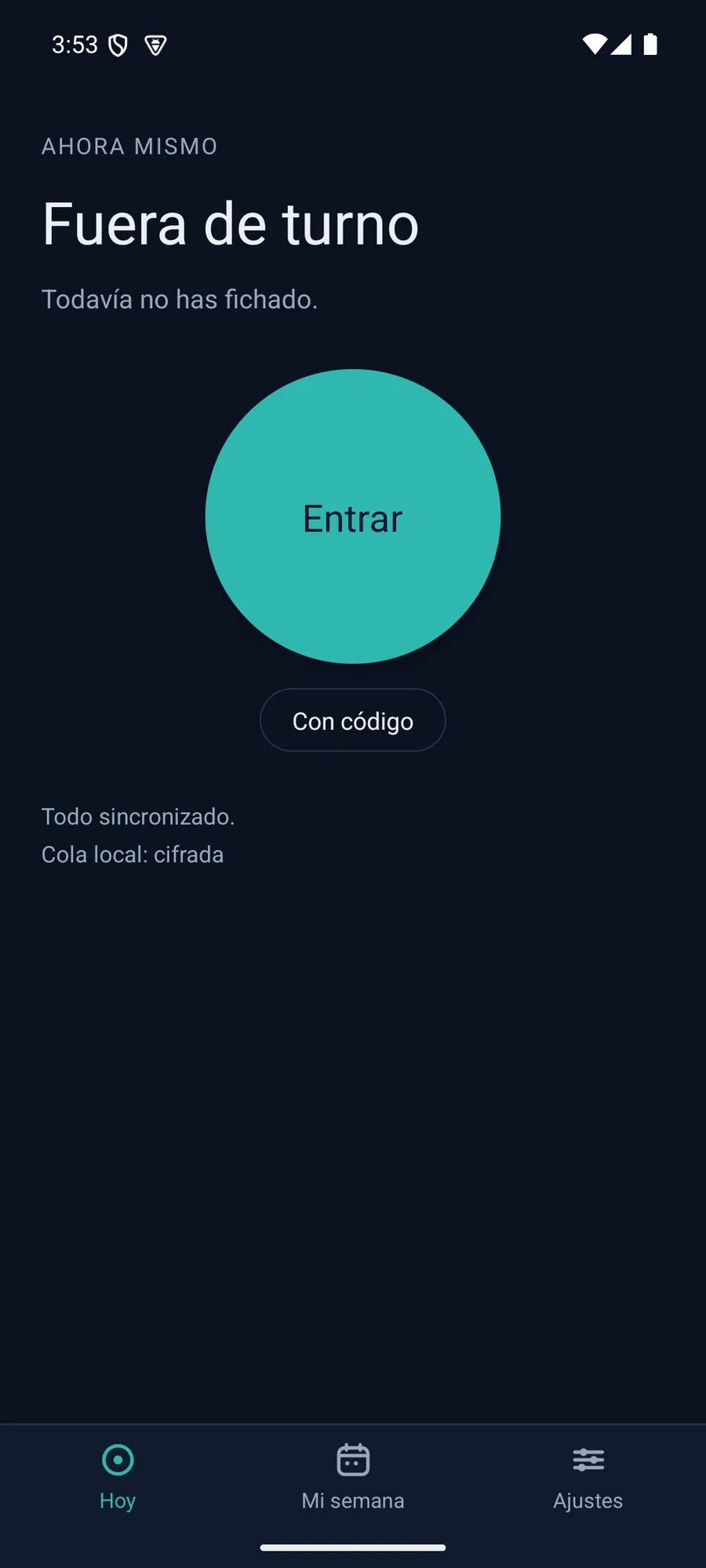
El botón «Entrar/Salir». Funciona sin cobertura.The «Clock in/out» button. Works offline.
Fichar es un gesto; verlo todo, también. Este tutorial recorre los dos, con capturas reales y ejemplos que puedes tocar.Clocking in is one tap; seeing it all, too. This tutorial walks through both, with real screenshots and examples you can tap.
La app · ficharThe app · clock in
«Hoy» muestra tu estado y ofrece un solo botón. Tócalo aquí:«Today» shows your status and one button. Tap it here:
MétodosMethods
La empresa activa los que quiera; conviven y suman confianza. Nada de biometría.The company turns on the ones it wants; they combine and add confidence. No biometrics.
El botón «Entrar/Salir». Funciona sin cobertura.The «Clock in/out» button. Works offline.
Acerca el móvil a la etiqueta del centro. Señal, no contraseña.Tap the phone on the site's tag. A signal, not a password.
El servidor confirma que estás en la red del local, con un hash.The server confirms you're on the venue's network via a hash.
Al entrar o salir, la app te avisa para que confirmes. Nunca ficha sola.On entering or leaving, the app prompts you. Never clocks by itself.
Escanea el código del centro. Se renueva solo.Scan the site's code. It rotates on its own.
Una tableta en la pared: código y PIN.A wall tablet: code and PIN.
Guías de despliegueDeployment guides
Cómo desplegar el fichaje y cómo lo vive tu equipo. Paso a paso y con capturas reales.How to roll out clock-in and what it looks like for your team. Step by step, with real screenshots.
Una tableta de pared: cada persona teclea su código y su PIN. Sin cuenta ni móvil.A wall tablet: each person types a code and a PIN. No account or phone.
Ver la guíaSee the guide →Una pantalla muestra el código; cada móvil lo escanea. Se renueva solo cada 30 s.A screen shows the code; each phone scans it. It refreshes on its own every 30 s.
Ver la guíaSee the guide →Fichar, descansar, la semana, las ausencias y el cierre del mes, desde la app o el navegador.Clocking in, breaks, the week, time off and the monthly closing, from the app or the browser.
Ver la guíaSee the guide →Guías en PDFPDF guides
Dos manuales listos para imprimir o compartir: uno para el equipo y otro para la empresa. Con capturas reales, paso a paso.Two print-ready manuals to share: one for the team, one for the company. With real screenshots, step by step.
Del alta al cierre mensual: crear la empresa, invitar al equipo, configurar el fichaje y sacar los informes.
Descargar PDF ↓From sign-up to the monthly close: create the company, invite the team, set up clock-in and pull reports.
Download PDF ↓Entrar, fichar, descansos, fichar con QR o kiosco, tu semana, las ausencias y tu cuenta. Desde el móvil.
Descargar PDF ↓Sign in, clock in, breaks, QR or kiosk, your week, time off and your account. From your phone.
Download PDF ↓Para la empresa · el panelFor the company · the panel
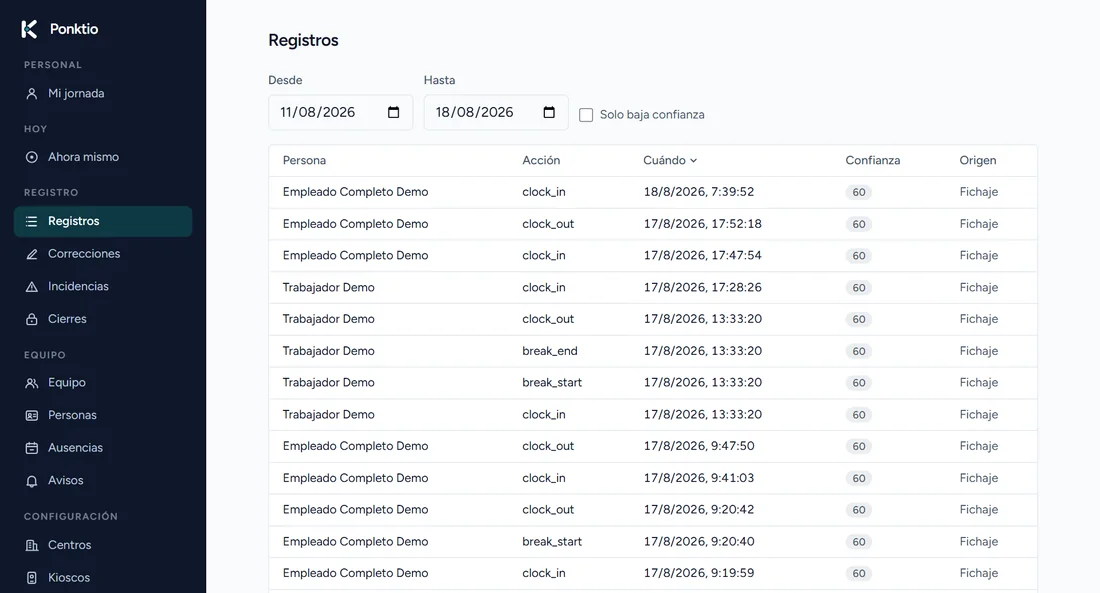
Todo desde el navegador. Haz clic en cada sección para ver qué hace, con capturas reales:Everything from the browser. Click each section to see what it does, with real screenshots:
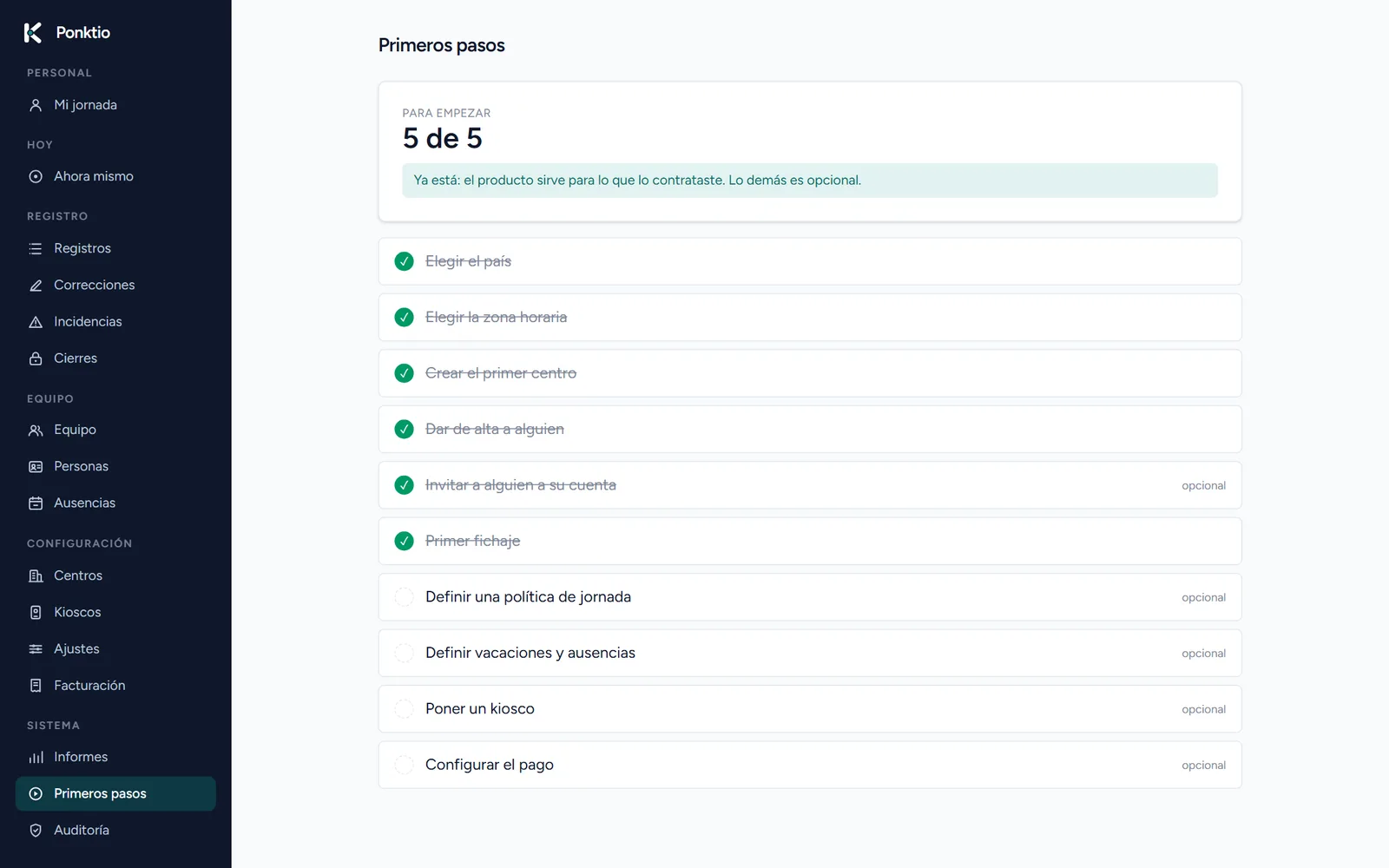
Un onboarding guiado: elegir país y zona horaria, crear el primer centro, dar de alta a alguien y hacer el primer fichaje. Lo demás es opcional.A guided onboarding: pick country and timezone, create the first site, add someone and make the first punch. The rest is optional.
En vivoLive
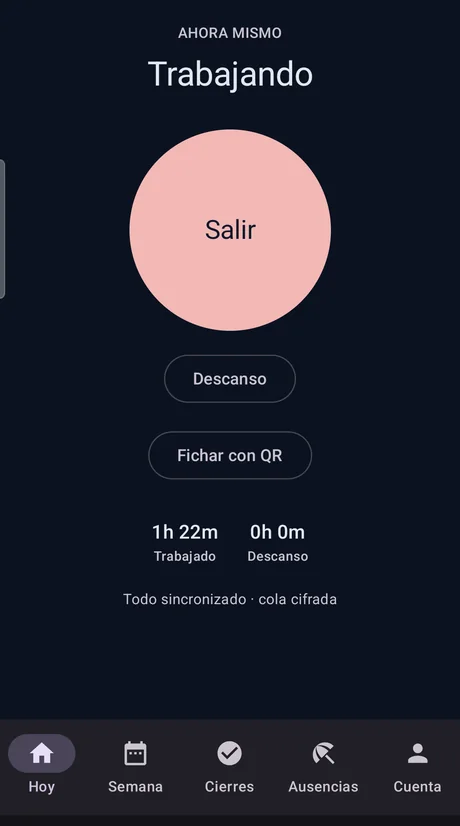
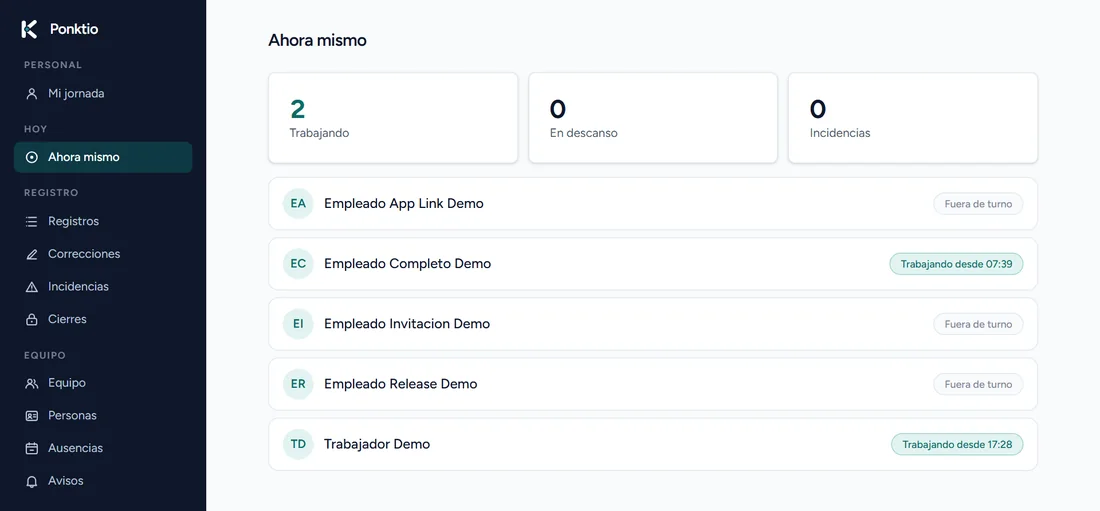
El equipo ficha desde su móvil y lo ves en el panel en el mismo segundo, con su registro anotado. Capturas reales, sin montaje.The team clocks in from their phone and you see it on the panel the same second, entry logged. Real screenshots, no mockups.
Crea tu empresa, invita a tu equipo y activa los métodos que quieras.Create your company, invite your team, and enable the methods you want.
Empieza gratisStart free